Settings
Theme

Description

TOP EDIT: There is currently a bug affecting certain characters' in-game voices/sound effects. This is caused when moving English voices to the Japanese game. I'm currently looking for a fix. All patches labeled 1.2 have (hopefully) been addressed, and patches which contain no U.S. version voices are not affected. This means the Basic and Full Re-Dubs are currently the only ones affected, as far as I'm aware. Partial and Full Primal, as well as No Re-Dub should all be okay.

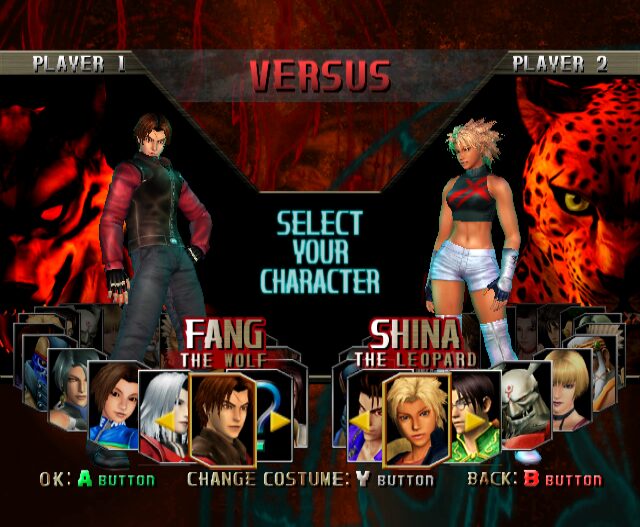
These patches replace many of Bloody Roar: Extreme's assets with their Primal Fury counterparts, to various degrees. For example:

The announcer

Naming conventions such as Extreme>>>Primal Fury, and Marvel>>>Shina

In-game voices and lip-syncing

On-screen text for opening and ending movies

The various patches do the following:

English Text No Re-Dub: Fully translates all Japanese text into English, including cutscene text, but keeps all voices from the Japanese release, including the announcer.

English Text Basic Re-Dub: Fully translates all Japanese text into English, including cutscene text, and replaces Japanese voices from the Japanese release, but retains voices that were already in English, including the announcer.

English Text Full Re-Dub: Fully translates all Japanese text into English, including cutscene text, and replaces all character voices from the Japanese release, but retains the announcer.

Partial Primal: Fully translates all Japanese text into English, including cutscene text, and replaces Japanese voices from the Japanese release, but retains voices that were already in English. Uses the U.S. announcer. Replaces Extreme logos with Primal Fury, replaces Marvel with Shina.

Full Primal: Fully translates all Japanese text into English, including cutscene text, and replaces all voices from the Japanese release, including the announcer. Replaces Extreme logos with Primal Fury, replaces Marvel with Shina.

Each patch also has an Xbox Cutscene variant if you want the newer, CGI cutscenes from the Xbox version of Extreme.

Huge shout out to both BloodRaynare and Sigma who have done their own different patches and who helped me greatly in making this one.

Hashes

Filename: Bloody Roar - Extreme (Japan).iso
CRC32: 9ebecf47
SHA-1: 6b3a23efe9089e4e1c8ae57aba356c96acca75c4
Verified: Nintendo - GameCube v.2026-06-13 18-14-01 (redump.org)

Gallery

Reviews

Be the first to post a review See all 0 reviews

Last comments

avatar
TheFirstHunt 2025-09-06
The .xdeltas will likely be just as large due to the text in cutscenes actually just being part of the video file, meaning all of the videos have to be fully replaced by their English counterparts. But I agree, I think when I get some time to go back and re-do these (hopefully properly this time), I'll just do the standard ISO, and not use Dolphin. There's just so much about this stuff that I don't know, and this is also my first time making a patch this involved.
T
treloret 2025-09-06
Dolphin gives a non-reproducible result (can change depending on the build version), nkit2 is the way to go if you want reproducible results. The hashes on vimm site are the hashes of the original .iso file. I can also imagine that the xdeltas will be smaller when using it against the original .iso files, and that would remove the issue with different compression results in rvz. Anyone can compress it after being patched however they see fit.
avatar
Spike 2025-09-04
thanks guys!
avatar
TheFirstHunt 2025-09-02
I'm sorry, but I don't know what I'm looking for. It's a list of the ones that failed to verify, but I don't know what that means. What is it comparing them to? How does it know if they're verified or not verified?
R
ROMulus 2025-09-02
If you download the .rvz from Vimms it will be the correct crc when the file is extracted from the zip , it just that on Vimms it has the incorrect hash listed as they must of hashed the .zip file itself (with the included .txt file inside it) rather than the .rvz itself
R
ROMulus 2025-09-02
It does not matter what the files are named , the hash check checks the data integrity. I have attached the .dat file so you can see the hash checks against a verified data base (please open the .dat file with notepad++ for better layout)
avatar
TheFirstHunt 2025-09-02
I'm not very knowledgeable in no-intro database verification. What does it need in order to verify? Could it be because you have them named Primal Fury instead of Extreme like the rest at the top? Sorry, I just don't understand how that works but I'd be more than happy to help if you explain it!
avatar
TheFirstHunt 2025-09-02
Hey Spike! This may have been a mistake on the site's part. It has built-in CRC-32/SHA-1 hash calculation, you just drag and drop your ISO/RVZ. But its result is different from Dolphin's own hash calculation, so I've just now replaced it with Dolphin's, which shows it's the same as the verified good dump. My bad! Feel free to send me a direct message too if you can't get it to work, I definitely want to help if you're trying to get versions for your site.
R
ROMulus 2025-09-02
I have the correct .rvz ..... the patch(es) apply successfully, but each resulting patched file does not verify correctly in a no-intro .dat database These are what are expected.. Bloody Roar - Primal Fury (Japan) ...........(no-intro CRC : 43da1b23) Bloody Roar - Primal Fury (Japan) ............................................(no-intro CRC : 5563cfda) Bloody Roar - Primal Fury (Japan) ......(no-intro CRC : 60e527d5) Bloody Roar - Primal Fury (Japan) .......................................(no-intro CFC : 02a4cbb8)
R
ROMulus 2025-09-02
---------------------------------------- no joy here
avatar
mlastes1987 2025-08-31
Yeah me either
avatar
Spike 2025-08-30
I know how to convert them but I don't get exactly the CRC needed 8eebe49c
avatar
mlastes1987 2025-08-29
I'm trying that as we speak, you have to right click on the game in the list and click convert iso only works in the dev builds.
avatar
Spike 2025-08-28
Hi, could you share how exactly you got this .rvz CRC-32: 8eebe49c ? Did you get it from dolphin by compressing the iso? What settings did you use to do that? Thanks!
Post a comment